


Cannon Balls 3D: Tower Crash
4.6314.00 Reviews
App Specs
- Version
- 20260853
- Updated On
- License
- Free
- Downloads
- 1,000,000+
- Developer
- Famobi Plus
- Categories
- Arcade
- Platform
- Android
Screenshots
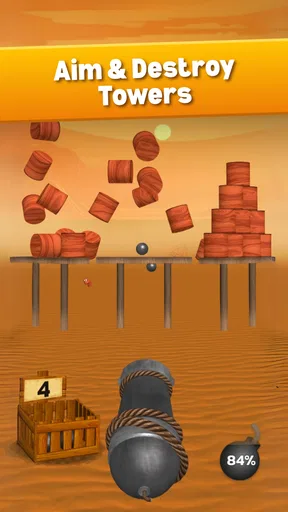
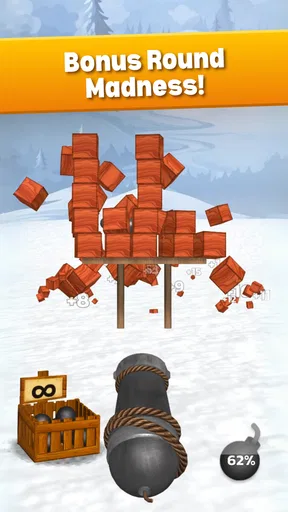
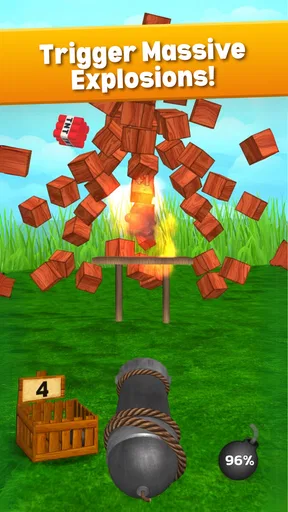
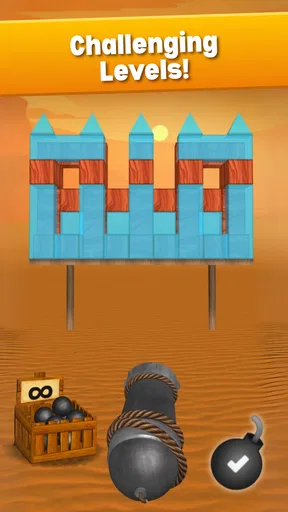
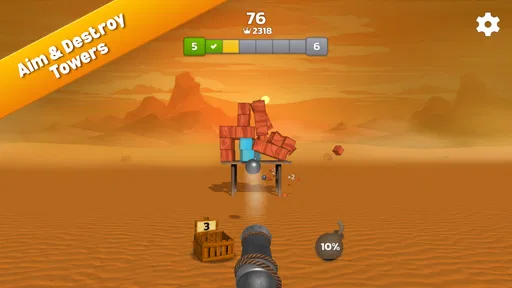
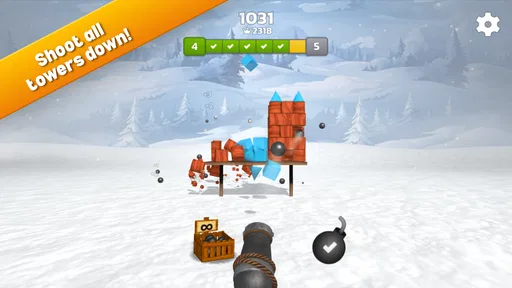
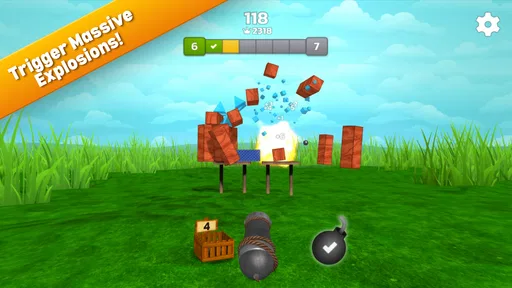
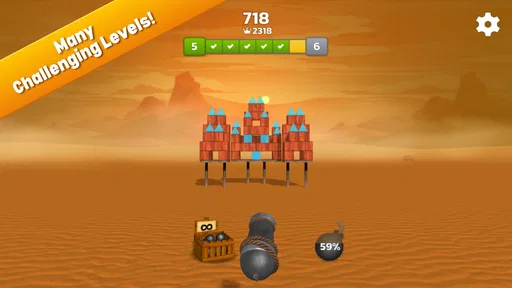
 Analysis by AppCompare
I spent time with Cannon Balls 3D: Tower Crash as a quick arcade game, and my first impression was easy to understand: it is built for short bursts of aiming, firing, and watching structures break apart. That simple loop is its main appeal. I can open it when I have only a few spare minutes, make progress without learning a complicated control scheme, and put it down before it starts demanding a long commitment.
The game comes from Famobi Plus and is free to install, with optional in-app purchases ranging from $0.99 to $49.99 per item. It is rated for Everyone, which matches the straightforward, non-violent presentation I experienced. The store identifies it as an arcade game, and that is the right way to approach it: this is not a deep physics simulator or a long-form strategy title, but a compact destruction game that asks me to judge shots quickly and enjoy the result.
What makes the first minutes easy, and where players can get stuck
The basic interaction is immediately readable. I line up a cannon, fire at a tower or its supporting areas, and try to cause a satisfying collapse with limited effort. That clarity makes it suitable for casual players, younger users, and anyone who prefers games that teach themselves through play rather than through long instructions.
Where I found the experience less obvious was not the act of firing, but the decision behind each shot. The largest visible target is not always the most useful one. A shot aimed at the upper part of a structure may create a dramatic effect without removing the pieces that keep the tower standing. In practice, I had better results when I paused briefly to look for a lower support or a point where one impact could affect several sections.
That small pause is important because the game can look more random than it really feels. When a shot fails, it is tempting to fire again immediately. I learned to treat each attempt as a quick puzzle: identify what is holding the structure together, choose the angle that reaches it, and only then tap to launch. This is one of the more useful habits for anyone who feels that the cannon is not responding as expected.
Another possible sticking point is the difference between a visually impressive hit and a genuinely productive one. A large burst of movement does not necessarily mean the level is close to completion. I started watching what remained after the first impact instead of focusing only on the initial collapse. That helped me adjust the next shot rather than repeating the same aim.
The game is also easy to underestimate because its controls are simple. Simple controls do not remove the need for timing and observation. If I played while distracted, I wasted more shots and blamed the level. When I gave the scene a moment of attention, the same challenge usually felt more manageable. For a casual arcade title, that is a fair trade-off, although players looking for constant action may find the brief aiming pauses slower than expected.
Worth Reading Before You Choose

EA SPORTS FC Mobile 26 Is a Bigger Football Game, but It Takes Time

Flipboard Shows What News Apps Must Do Beyond the Feed

Switching to Android Auto Means Rethinking Your Driving Routine

Google Calendar Makes a Crowded Week Easier to Manage

Ludo King Makes the Most of the Minutes Between Plans

Baby Panda World Brings Quick Play to Modern Phones, but Its Game Library Feels Busy
Small setup checks that prevent avoidable frustration
Before assuming that a problem belongs to the game, I would start with the basics. The current version is 20260840, and the minimum operating-system requirement is Android 9. A device running an older system is therefore the first thing to check before trying more complicated fixes. On a compatible phone or tablet, I would also make sure there is enough free storage for installation and normal system operation.
A stable connection is sensible during installation and whenever the store needs to verify or update the game. If the download pauses, I would first check whether other downloads are competing for bandwidth, then retry after switching between a reliable Wi-Fi connection and mobile data where appropriate. I would avoid repeatedly tapping install or purchase buttons while the store is still processing, since that can make it harder to tell whether the original request succeeded.
Once the game opens, I recommend closing demanding apps in the background if the device is older or already warm. This is not a special requirement of the title; it is a practical way to give any arcade game a cleaner start. I would also restart the device if the screen feels unusually sluggish before changing settings or reinstalling anything.
Touch accuracy matters more here than it might in a menu-driven game. A dirty screen, a thick protector, or a hand resting near the display can make a swipe or tap seem inconsistent. I found that holding the device securely and keeping the firing gesture deliberate made aiming feel more predictable. If taps register late, testing the same screen in another app can quickly show whether the issue is broader than this game.
Because the game is free to play but includes optional purchases, I would also review the device’s purchase controls before handing it to a child. The Everyone rating describes the content, not the spending habits of the person using the device. Setting purchase authentication is a sensible household precaution, especially when a game is designed around quick repeated attempts and the store offers items at several price points.
A recovery routine when a level or session goes wrong
When a shot seems to do nothing, my first recovery step is to stop firing for a moment and inspect the remaining structure. I look for the lowest visible support, a narrow connection, or a cluster that appears to hold several pieces together. Then I choose a new target rather than simply repeating the previous angle. This is more effective than treating every failed shot as a control problem.
If the game stops responding, I would wait briefly before closing it, especially if the device is processing the result of a collapse. If the screen remains frozen, I would close and reopen the game, then check whether the rest of the device is also slow. A single restart is a reasonable next step; repeatedly force-closing it after every minor pause is more likely to interrupt normal loading than to solve anything.
For a session that feels unusually laggy, I would reduce the number of active apps, let the device cool, and try again. Heat can affect touch response and overall performance, so blaming the cannon immediately can send troubleshooting in the wrong direction. If only this game behaves badly while other apps remain normal, reopening it and checking for an available update would be the next practical move.
I would be cautious about reinstalling as an early solution. Reinstallation can remove local progress or settings, depending on how a particular game handles saved information. Since I cannot assume that every session is backed up in the same way, I would reserve that step for persistent problems and only after considering whether losing local progress is acceptable.
Purchases deserve a separate recovery approach. If an item does not appear immediately, I would avoid buying it again straight away. I would first confirm that the store transaction completed, reopen the game, and check the relevant screen again. If the charge and the in-game result still do not match, the sensible route is to use the platform’s purchase support process rather than repeatedly tapping the payment control.
When the game is not actually the cause
Some complaints that sound like game bugs are really device or environment issues. Delayed taps can come from a busy phone, low available storage, a damaged screen area, or a screen protector that interferes with touch. A sudden exit can be related to the operating system, overheating, or several memory-heavy apps running together. I would test these possibilities before deciding that the game itself is unreliable.
Network-related trouble can also be misleading. If the game launches but an update or store action stalls, the problem may be the connection rather than the cannon gameplay. Switching networks, waiting for a crowded connection to settle, or trying again later can distinguish a temporary service issue from a local installation problem.
There is also a human factor. I sometimes played while walking, holding the phone with one hand, and trying to aim quickly. My misses increased because the screen moved and my finger landed less precisely. The game is more enjoyable when I give each shot a stable moment. That does not make it a difficult title, but it does mean that the best experience is not always available in the most distracted situations.
Players should also separate a design limitation from a technical fault. The game’s appeal comes from a focused loop, so anyone expecting character development, extensive exploration, or a large collection of modes may feel that it is too narrow even when it runs perfectly. A different arcade game would be a better choice if I wanted continuous movement, competitive multiplayer, or a more elaborate progression system. I would not call the compact format a defect; it simply defines who will enjoy it.
How it fits into an everyday gaming routine
A realistic use case is a short wait before an appointment. I can play a few attempts, focus on finding the most efficient impact point, and stop without needing to remember a complicated story or coordinate with other players. The same works during a commute when I have a stable place to hold the phone, although I would avoid playing while walking or in any situation where attention needs to stay elsewhere.
It also works as a low-pressure break after a long task. The visual reward arrives quickly, and the controls do not require a long warm-up. I like that I can approach it casually, then improve by paying closer attention to structure and shot placement. That gives the simple format a little more staying power than a purely mindless tap game.
On the other hand, I would skip it when I want a game that respects a long uninterrupted session with deep goals. Its strongest moments are individual shots and short sequences of decisions. If I keep playing while hoping it will transform into a strategy campaign, I am using it for the wrong purpose. Its value is in compact, repeatable arcade play rather than breadth.
What the audience and store figures suggest
The game has passed one million installs and holds an average rating of 4.6 from around ten thousand ratings, with 309 written reviews. Those figures suggest that the quick destruction loop connects with a substantial casual audience, and my experience explains why: the premise is clear, the first interaction is approachable, and a successful collapse provides immediate feedback without requiring a large time investment.
Still, popularity does not remove the practical trade-offs. The optional purchase range means I would keep an eye on spending, particularly on a shared device. I also would not interpret the rating as a promise that every player will enjoy the same pace. People who prefer more control, richer level planning, or a stronger sense of long-term progression may find the experience repetitive sooner than fans of short arcade sessions.
The Everyone content rating makes it an easy recommendation for households looking for a simple game, but I would still explain the purchase settings to younger players. For adults, the more relevant question is whether the compact shooting-and-collapse loop is enough to hold attention. In my case, it works best as a small game to revisit rather than the only game on my phone.
My practical verdict after using it
I recommend Cannon Balls 3D: Tower Crash to players who want an approachable arcade game with immediate visual feedback and no complicated onboarding. My best advice is to aim for structural supports instead of the most obvious surface, wait a moment after each impact, and treat poor responsiveness as a device or environment issue until basic checks prove otherwise.
It is not the right pick for someone seeking a deep strategy experience, a broad adventure, or a game built around long sessions. I would choose a more substantial alternative for those needs. But for a quick break, a few satisfying collapses, and a challenge that rewards paying attention to where each shot lands, it does its job well.
My final view is positive but measured: the strongest reason to try it is the balance between instant access and small tactical decisions. The free entry point makes testing easy, while the optional purchases mean I would set spending safeguards before letting someone else use the device. With Android 9 or later and a responsive screen, I found it a pleasant little arcade diversion—simple enough to start immediately, yet just thoughtful enough that careless shots do not always succeed.
Pros
- Simple one-touch controls make it easy to start playing immediately.
- Short levels are well suited for quick gaming sessions.
- Physics-based tower collapses make successful shots satisfying.
- Bright 3D visuals are easy to follow on smaller screens.
- The casual gameplay is suitable for players of many ages.
Cons
- Gameplay can become repetitive after several similar tower levels.
- Some stages rely heavily on trial and error rather than strategy.
- Precision may feel inconsistent when aiming at small targets.
- Ad interruptions may disrupt the flow between levels.
- Progression may feel limited for players seeking deeper challenges.
FAQs for Cannon Balls 3D: Tower Crash
What is Cannon Balls 3D: Tower Crash?
Cannon Balls 3D: Tower Crash is a casual physics-based game focused on demolishing towers and structures with a cannon. You aim, adjust the shooting angle, and fire balls to knock down as much of the construction as possible. The gameplay is easy to understand, but later stages require better timing, careful targeting, and efficient use of limited ammunition.
How do you play Cannon Balls 3D: Tower Crash?
The main objective is to destroy the tower or structure using the cannon balls provided in each level. Before firing, you can usually position your shot and choose the most effective point to hit. Striking weak supports, explosive objects, or groups of blocks can create chain reactions and help you complete levels with fewer shots.
Is Cannon Balls 3D: Tower Crash free to download and play?
Cannon Balls 3D: Tower Crash can generally be downloaded for free on supported mobile devices, allowing players to try the main gameplay without an upfront purchase. However, free versions of casual games may include advertising, optional in-app purchases, or rewards connected to viewing ads. Check the store listing for the current pricing and purchase details.
Does Cannon Balls 3D: Tower Crash require an internet connection?
The basic tower-destruction gameplay may be available offline, which makes Cannon Balls 3D: Tower Crash suitable for short sessions while traveling or when you do not have reliable mobile data. Nevertheless, features such as advertisements, rewards, updates, synchronization, or purchase verification may require an internet connection. Availability can vary depending on the device and app version.
Is Cannon Balls 3D: Tower Crash suitable for children?
Cannon Balls 3D: Tower Crash uses simple controls, colorful visuals, and non-realistic destruction, so it can be approachable for younger players. Even so, parents should review the recommended age rating, advertising practices, and any optional purchases before allowing children to play. Because difficulty and monetization can change through updates, parental supervision is recommended.


